Wheel of Names: How Can You Pick a Name Online?
A wheel of names picks one visible entry from your list so a group can follow a completed random selection on screen.
For classroom participation, meeting turns, or party games, decide what the result means before pressing SPIN. Your list determines the pool. Remove ineligible entries before starting: a missing person cannot be selected, while an accidental extra row remains eligible until you change the list. Colors, sound, and confetti affect presentation rather than eligibility.
On this page, use the entry field to add names and review the visible rows before starting. Read the visual result and recent winners. Agree on acceptable options for casual tasks; appearance and duration are separate choices.
How Do You Prepare a Wheel of Names?
Prepare a wheel of names by checking the labels and active entries before starting a selection.
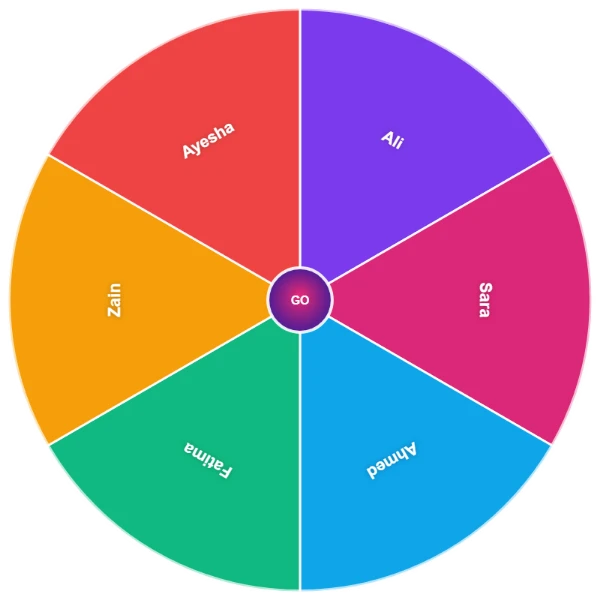
The Sample control loads Ali, Sara, Ahmed, Fatima, Zain, and Ayesha for a demonstration. Replace those examples before a real activity. Check count, segment size, and readability before a large draw; clear labels identify participants.
- Add entries: Type each label and press Enter or the plus button.
- Check availability: Hide a temporarily unavailable entry or delete a row that does not belong.
- Begin spinning: Press SPIN, wait for the result card, and read the selected label.
Later draws need preparation. Preparation allows a deliberate start; the entries determine the pool.
Which Wheel Settings Change the Presentation?
The wheel’s theme, sound, confetti, and duration controls change presentation without deciding who is eligible.
Test browser versions on phones, tablets, and desktop for practical access. The available palettes change colors, while the duration slider adjusts the waiting time for a completed spin. Different mobile applications need not share these controls. Check keyboard controls and the implementation. Check the visible list separately whenever participation changes.
| Control | Changes | Does not replace |
|---|---|---|
| Theme | Wheel and entry colors | Checking participant labels |
| Duration | Animation timing | Choosing eligible entries |
Sound and confetti are optional feedback. Audio can vary with a browser restriction, so read the displayed result before deciding that a draw failed. Silence alone is not a reason to repeat the selection.
How Do You Keep a Selected Entry Out of Later Spins?
Remove a selected entry when the next spin should use only the remaining eligible rows.
Automatic removal and the result-card Remove button target the winning entry’s identity. Two rows displaying the same text remain separate; removing one must not silently remove the other. The distinction matters whether duplicate labels represent different people or intentional additional entries for one person.
Keeping an entry permits repeat results, while hiding temporarily excludes it without deleting it. Decide which rule suits the activity before beginning. Save local history rather than assuming cloud storage or shared links; privacy and data rules still matter. If a winner was already removed automatically, manual removal should not remove another matching label just because the original row is absent.
When Is a Wheel of Names Useful?
A wheel of names is useful when a group needs one selection from an agreed set of acceptable options.
Use a visible draw to choose who answers a question, speaks next, or begins a casual game. A random-looking animation does not establish proof of randomness or diagnose an error; methods differ. A facilitator remains responsible for reasonable participation arrangements.
Presentation and eligibility must be distinguished. For tasks and small decisions, add concise labels the group understands. Agree on their meaning before spinning. If an activity calls for teams, a full scorecard, or a permanent event record, keep those needs separate. The name wheel is not automatically every other tool simply because its entry field accepts different words.
What Should You Check Before Reusing a Wheel?
Check the saved list, hidden entries, and removal settings before reusing a wheel for a new activity; the implementation matters.
The local browser state can preserve names, themes, settings, and recent history, but another device may open a different setup. Accounts and shared links are service-specific features, not assumptions to carry here. A fresh activity needs its own list review even when yesterday’s wheel reappears after refresh.
The Space shortcut starts a spin when you are not typing in an input or text area. Copy Result copies the completed displayed name for you to paste into your notes; it does not publish a shared wheel. A single list is not multiple wheels; check that capability boundary. Retain your own record.